
The average college student checks their phone 96 times a day. Most of those checks happen right in the middle of a study session. And here is the real problem: once you break focus, it takes about 23 minutes to fully recover your concentration. That means a single Instagram peek can cost you a quarter of an hour of lost learning. The best focus apps for studying exist because willpower alone is not enough. These are tools built on real behavioral science, designed to interrupt the autopilot loop between boredom and phone. Some block distracting apps at the system level. Some add a short pause before you open TikTok. Some grow virtual trees or charge you real money if you fail. And a few use neuroscience-designed audio to keep your brain in the zone. This guide covers fifteen apps across five categories, from free friction tools to AI-powered soundscapes. Every app was reviewed for current pricing, platform availability, and honest limitations. The science behind each approach is explained in the second half, so you understand why these tools work before deciding which ones to try.
1. ScreenZen — Free Friction for Every Platform
ScreenZen is the rarest thing in the focus app market: a genuinely free tool with no premium tier, no ads, and no catch. It works by adding customizable delays before distracting apps open. When you try to launch Instagram or Reddit, ScreenZen shows a wait screen and asks your intention. You can set different delay durations per app, schedule "free periods," and track daily usage. Available on iOS, Android, iPad, and Mac. The biggest limitation is that it relies on self-discipline during the delay, since there is no hard lock. But for most students, that brief pause is enough to break the scroll reflex.
2. Mindomax — Active Recall That Forces Focus
Mindomax approaches the focus problem from the opposite direction. Instead of blocking distractions, it makes studying so actively engaging that your brain stays locked in. Upload a PDF, record a lecture, or photograph handwritten notes, and the AI generates flashcards in seconds. The spaced repetition algorithm schedules reviews at intervals tuned to your forgetting curve. Active recall, which forces you to retrieve information rather than passively reread it, is one of the most effective study methods ever measured. Free allows one box with unlimited cards and three daily AI requests. Premium at $5.99 per month unlocks the full pipeline. The honest caveat: Mindomax is a study tool, not a blocker. It will not stop you from opening TikTok. Pair it with a friction app or timer for the full setup. For a deeper comparison with other study apps for students, see the dedicated guide.
3. one sec — The Peer-Reviewed Pause
one sec is the only focus app backed by a peer-reviewed field experiment published in PNAS (2023, Max Planck Institute). When you try to open a distracting app, one sec forces a deep-breath animation and then asks: do you still want to open this? That brief pause prevents about 36% of app openings according to the study. The company reports a 57% average reduction in social media usage. Free for one app. Pro costs around $19.99 per year and covers unlimited apps. Over 100,000 five-star ratings on iOS. The Android version is functional but weaker than iOS, and some features have recently moved behind the paywall.
4. Opal — Nuclear-Level iPhone Blocking
Opal uses iOS Screen Time APIs to block apps at the system level. In "Deep Focus" mode, even deleting the app will not end an active session. This is the closest thing to a physical lock on your phone. Over 4 million downloads and a 4.8-star rating on the App Store. Opal also provides screen-time analytics and daily focus scores. The downside is price: Opal Pro runs about $99.99 per year, making it the most expensive app on this list. The Android experience is limited compared to iOS. Best for students who have tried gentler approaches and failed.
Download: iOS
5. Cold Turkey — The Desktop Enforcer
Cold Turkey is the gold standard for desktop distraction blocking. Once a block starts, there is no way around it. Not restarting, not uninstalling, not Task Manager. The "Frozen Turkey" mode locks your entire computer except approved applications. The free version handles basic website blocking. Pro is a one-time purchase of about $39, no subscription. It runs on Windows and macOS but has no mobile app. Students who primarily study on laptops will find this indispensable. The limitation is obvious: if your phone is the bigger problem, Cold Turkey cannot help.
Download: Windows / macOS
6. FocusMe — Hard Blocking Across Every Platform
FocusMe is built for people who find workarounds to every other blocker. Its "Enforced Mode" uses random-character challenges and uninstall protection. Available on Windows, macOS, Linux, and Android, it covers more platforms than any competitor. It includes daily app allowances, a Pomodoro timer, and detailed usage statistics. Pricing starts around $9.95 per month or about $119 per year, with a lifetime option. The interface is more complex than simpler tools. A free trial and 60-day money-back guarantee reduce the risk. No iOS version exists.
7. Forest — Gamified Focus With Real Trees
Forest started the "grow a tree while you focus" trend in 2014. Set a timer, and a virtual tree begins growing. Leave the app before the timer ends, and the tree dies. Over time you build a forest representing your total focus hours. Forest partners with Trees for the Future to plant real trees. The app is available on iOS, Android, and as a browser extension. An important caveat: Forest recently moved several previously free features behind a "Forest Plus" subscription. Long-time users who paid the original $3.99 one-time price on iOS have expressed frustration. The core free experience still works on Android.
8. Flora — Real Money on the Line
Flora adds a financial stake to the timer model. You can commit real money to a focus session. If you break the session, the money is charged and donated to plant a real tree. No cap on donated trees, unlike Forest's five-tree limit. Group sessions let study partners hold each other accountable. The basic timer is free. Flora Care (about $1.99 to $9.99 per year) unlocks additional features and automatic tree planting per focus hour. The money mechanic can feel stressful during exam season, and the app is primarily iOS-focused.
9. FocusDown — Flip Your Phone to Focus
FocusDown is a 2025 newcomer that uses your phone's motion sensor. Place your phone face-down on a surface, and a focus session starts. Pick it up, and the session pauses. The physical act of flipping the phone creates a commitment that software toggles do not. The app adds ambient soundscapes (lo-fi, rain, café, library), Pomodoro timers, streak tracking, and a kawaii mascot. A free trial is included. Pro costs roughly $14.99 per year. Currently iOS only. The concept has inspired copycats, but FocusDown is the original.
Download: iOS
10. Brain.fm — Neuroscience Music for Studying
Brain.fm generates music engineered to support concentration. It uses patented "neural phase locking" technology tested with EEG and fMRI. A 2024 study published in Communications Biology (a Nature journal, NSF-funded, Northeastern University) reported a 119% boost in focus-associated beta brainwaves. The app offers modes for focus, relaxation, and sleep. A free trial is available. Subscriptions run about $6.99 per month or $49.99 per year, with a student discount. Brain.fm works on web, iOS, Android, and desktop. Effects vary by person, so the trial is worth using fully before committing.
11. Endel — AI Soundscapes That Adapt in Real Time
Endel creates personalized soundscapes using inputs like time of day, weather, heart rate (via Apple Watch), and location. Its patented "Endel Pacific" engine generates audio that shifts continuously rather than looping tracks. A 2022 study in Frontiers in Computational Neuroscience reported significantly higher focus during Endel listening compared to playlists and silence. The app runs on iOS, Android, macOS, Apple Watch, Apple TV, and Alexa. No permanent free tier. Subscriptions start around $7.49 per month or $49.99 per year. Some users find the generative audio no better than a good ambient playlist.
12. Flipd — Study Rooms and Social Accountability
Flipd targets students who study better with social pressure. The app offers live study rooms, global leaderboards, streaks, and a "Full Lock Mode" that makes your phone unusable during sessions. It syncs with Apple Health and has a strong student community. Free to download. Premium costs about $29.99 per year and unlocks longer sessions, unlimited breaks, and advanced stats. Users have noted that features once free have gradually shifted behind the paywall. Available on iOS and Android.
13. Tide — Focus Timer With Nature Sounds
Tide combines a Pomodoro-style timer with high-quality nature soundscapes: rain, ocean, forest, café noise. A former App Store "App of the Year" winner (2016, 2017), it is developed by Chinese studio Moreless. The free version covers basic timers and a few sound scenes. Tide Plus unlocks the full library and runs about $11.99 per month or $59.99 per year. The sound design is among the best in this category. Available on iOS and Android. No desktop version.
14. Session — Premium Pomodoro for Apple Users
Session is a Pomodoro timer designed for the Apple ecosystem. It offers deep analytics, calendar integration, app and website blocking on Mac, Shortcuts and AppleScript automation, and Slack status integration. Built by indie developer Philip Young. The free tier includes basic timing. Pro costs about $4.99 per month or $39.99 per year. Session runs on macOS and iOS. No Android or Windows. Expensive for a timer, but the integration depth justifies the price for students already embedded in Apple's ecosystem.
Download: iOS / macOS
15. Freedom — Multi-Device Distraction Shield
Freedom blocks distracting websites and apps across all devices simultaneously. Start a session on your Mac, and your iPhone and iPad are also locked. Custom blocklists, recurring schedules, and a "Locked Mode" that prevents disabling the block mid-session. Over 2.5 million users. Plans start at about $8.99 per month or $39.99 per year, with a lifetime option at $229. The main limitation is occasional sync issues between platforms, and some apps on mobile can bypass the block depending on OS version. Works on Mac, Windows, iOS, Android, and Chrome.
Download: iOS · Android · Desktop / Chrome
The decision of which focus app fits best depends on where attention actually breaks down. A student whose phone is the primary distraction needs a different tool than someone who drifts to YouTube on a laptop. The following sections explain the neuroscience behind why these apps work, helping you make a smarter choice.
Your Brain on Distraction: Why Willpower Fails
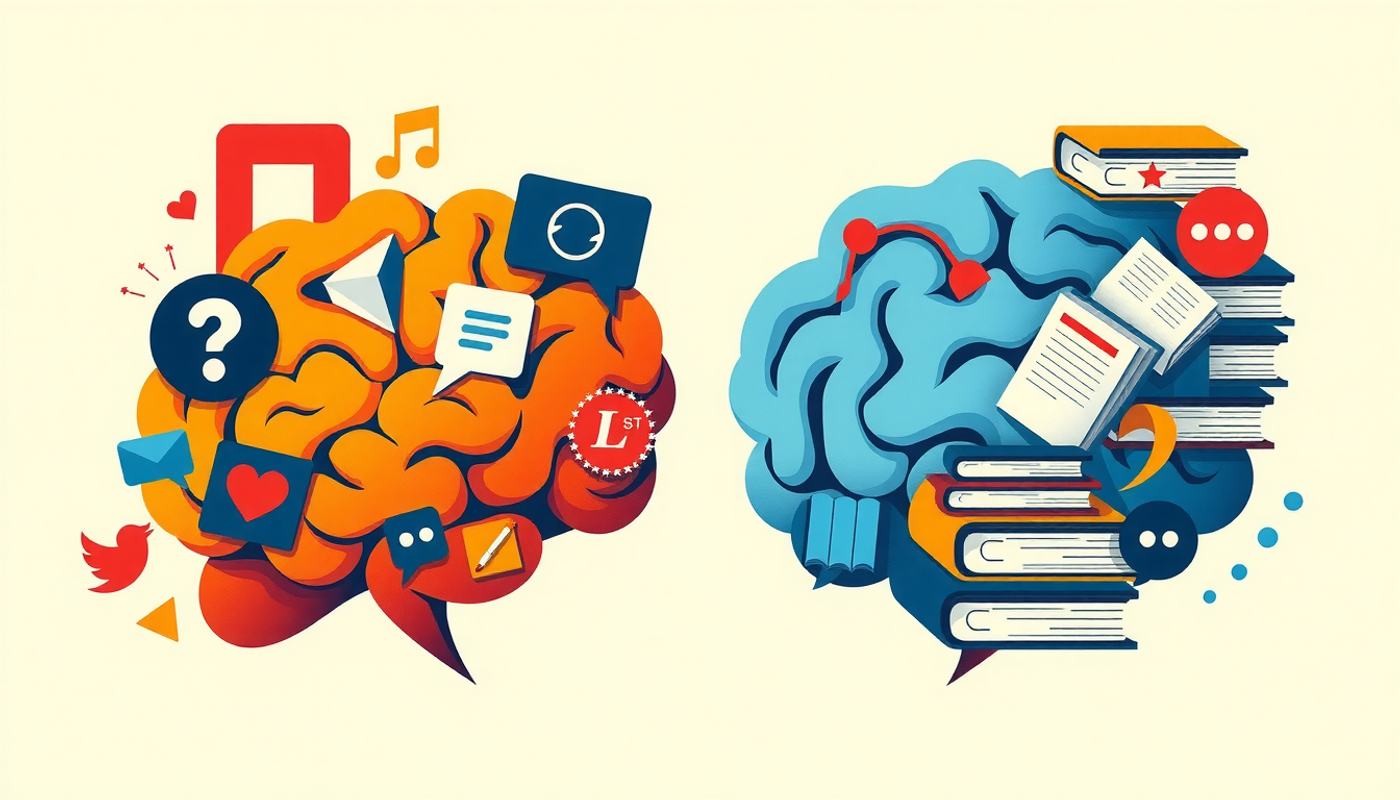
The prefrontal cortex is the brain's attention manager. It sends "top-down" control signals that keep you focused on whatever you intend to do. Miller and Cohen described this mechanism in their landmark 2001 review in the Annual Review of Neuroscience. The catch is that sustaining this control is metabolically expensive. The longer you concentrate, the harder the prefrontal cortex has to work, and the more vulnerable you become to distractions.
Your phone exploits this vulnerability perfectly.
Every notification triggers what neuroscientists call a "reward prediction error" in the dopamine system. Wolfram Schultz, Peter Dayan, and Read Montague documented this mechanism in a foundational 1997 Science paper. Unpredictable rewards, like new likes or messages, generate stronger dopamine responses than predictable ones. Social media apps are designed around this exact loop. The variable reward structure makes checking your phone feel urgent even when nothing important awaits.
So the battle is not between you and your phone. It is between your prefrontal cortex and your dopamine system. Willpower is not a character trait. It is a finite neurological resource that depletes over time.
This is why the best focus apps for studying target the environment, not your determination. Blockers remove the option. Friction tools interrupt the loop. Timers create structure. None of them require willpower because the whole point is that willpower is not enough.
The 47-Second Attention Collapse
Gloria Mark, a researcher at the University of California, Irvine, has tracked how long humans sustain attention on a single screen for over two decades. In her book Attention Span (2023), she reports a striking decline. In 2004, the average attention span on a screen was 2.5 minutes. By 2012, it had fallen to 75 seconds. Her most recent measurements put the median at about 47 seconds, with many switches happening in under 40 seconds.
Her earlier work also measured the recovery cost. After an interruption, it takes an average of 23 minutes and 15 seconds to return to the original task. Roughly half of all interruptions are self-generated. Meaning you are not being pulled away. You are pulling yourself away.
What does this mean for studying? A student who studies for three hours with their phone nearby will likely check it dozens of times. Each check costs minutes of recovery. The net productive study time could be less than half of the time spent at the desk. This is why the best focus apps for studying create barriers between you and the interruption before it happens.
Does Your Phone Drain Your Brain Even When Silent?
In 2017, Adrian Ward and colleagues at the University of Texas published a study titled "Brain Drain" in the Journal of the Association for Consumer Research. They asked 520 participants to complete cognitive tasks. Some placed their phones face-down on the desk. Others put phones in a bag or pocket. A third group left phones in another room entirely.
The results showed that participants whose phones were in another room significantly outperformed those whose phones were visible. Even when phones were silenced and face-down. The researchers concluded that the mere presence of a smartphone reduces available cognitive capacity, especially for people who are most dependent on their devices.
However, science demands honesty. A 2022 replication attempt by Ruiz Pardo and Minda in Acta Psychologica found no difference between phone-location conditions. The brain drain effect did not replicate in their sample.
So is the effect real? The evidence is mixed. But even skeptics agree on a simpler point: a phone that is physically out of reach cannot distract you. Several of the best focus apps for studying are designed precisely around this idea, either physically (FocusDown's flip mechanic) or digitally (Opal's system-level lockout).
Friction Beats Willpower: The Science of Speed Bumps
The most promising approach in focus app design is friction-based behavior change. Instead of willpower or hard blocking, friction apps add a brief delay, a pause, a moment of reflection before the distraction completes.
The strongest evidence comes from the PNAS field experiment on one sec (Grüning, Riedel, and Lorenz-Spreen, 2023, conducted with the Max Planck Institute for Human Development and Heidelberg University). In a sample of 280 participants, the app's deep-breath intervention prevented about 36% of distraction app openings. The mechanism is simple: most phone checks are automatic. A two-second pause is enough to engage conscious decision-making and break the autopilot loop.
This aligns with research on dopamine-driven behavior loops. The Schultz, Dayan, and Montague model shows that the impulse to check your phone happens in a fraction of a second. Boredom triggers your thumb. Your thumb opens Instagram. Your brain gets a dopamine hit. The entire cycle occurs below conscious awareness. Friction inserts a moment of choice into that automatic sequence.
ScreenZen, one sec, and FocusDown all work on this principle. The difference is the type of friction. ScreenZen uses a countdown timer. one sec uses a breathing exercise. FocusDown uses a physical gesture. All three share the same core insight: you do not need to block the distraction permanently. You just need to slow it down by two seconds.
Does Focus Music Actually Work?
The marketing claims are bold. Brain.fm cites a 119% increase in beta brainwaves. Endel claims a 7x increase in focus. Focus@Will promises a 200-400% boost in focus time. Should you believe them?
The evidence is nuanced. Brain.fm has the strongest published support. Woods et al. (2024), funded by the NSF and conducted at Northeastern University's MIND Lab, published results in Communications Biology showing that Brain.fm's functional music rapidly modulated attention-associated neural activity. The study used EEG measurements and found significant changes in beta-band power. This is real peer-reviewed science from a credible institution.
Endel's evidence comes from Haruvi et al. (2022) in Frontiers in Computational Neuroscience, conducted by neurotechnology company Arctop. The study measured neural focus markers during Endel listening versus playlists and silence. Results favored Endel, but the study was partially company-funded, which is worth noting.
The general finding from music cognition research is that instrumental, non-lyrical audio tends to help with repetitive and low-complexity tasks. For complex verbal reasoning, like writing an essay or reading dense material, background music can actually hurt performance. The type of study session matters.
The practical advice: try the free trials of Brain.fm and Endel for a full week. If you notice a genuine difference in your concentration, keep using the one that works. If not, a free YouTube ambient playlist or offline study environment works just as well.
Pomodoro: 25 Minutes or Something Else?
The Pomodoro Technique prescribes 25 minutes of work followed by a 5-minute break. Invented by Francesco Cirillo in the late 1980s and named after his tomato-shaped kitchen timer, the method is baked into apps like Session, Tide, Focus To-Do, and Forest.
But is 25 minutes the optimal interval? A 2025 scoping review in BMC Medical Education examined the Pomodoro Technique specifically in medical education settings. The review concluded that structured intervals "consistently improved focus, reduced mental fatigue, and enhanced sustained task performance, outperforming self-paced breaks." Students who took breaks on their own schedule tended to study too long, accumulate fatigue, and lose motivation.
The 25-minute number itself, though, is somewhat arbitrary. Research by Ariga and Lleras (2011) found that brief diversions from a task prevented the decline of sustained attention. The key was the break itself, not the specific interval. Some students do better with 50-minute blocks. Others prefer 15. The science supports structured breaks as a category, not 25 minutes as a magic number.
The best focus apps for studying that use Pomodoro timers, such as Session, Tide, and Focus To-Do, all allow custom interval lengths. This flexibility matters more than the default setting.
Building Your Focus Stack
No single app solves every distraction problem. The most effective approach combines two or three tools that address different failure points.
Start with a free friction app. ScreenZen costs nothing and runs on all platforms. Install it, configure delays for your three most-distracting apps, and use it for two weeks. If that small pause is enough to break your autopilot, you may not need anything else.
Add a study tool that demands active engagement. Passive rereading does not hold attention. Active recall, as used by Mindomax and other spaced repetition tools, forces your brain to retrieve information rather than passively scan it. Research by Karpicke and Blunt (2011) in Science showed that retrieval practice produced 50% more long-term retention than re-studying.
Escalate if friction fails. If you keep tapping through delays, move to hard blocking. Cold Turkey for your laptop ($39, one-time), FocusMe for cross-platform enforcement, or Opal for iPhone lockdown. These tools physically prevent access rather than relying on your decision-making.
Treat focus audio as optional. Brain.fm and Endel have real research behind them, but effects vary. Try both free trials for a full study week before committing.
And consider the cheapest intervention of all: put your phone in another room. The Ward et al. "Brain Drain" research, contested as it is, points to a simple truth. A phone that is not within reach cannot distract you. No app required.
Frequently Asked Questions
What is the best free focus app for studying?
ScreenZen is the best free option. It has no premium tier, no ads, and no paywalls. It adds customizable delays before distracting apps open, which is enough to break the automatic checking habit for most students. It works on iOS, Android, iPad, and Mac.
Do focus apps actually improve grades?
Research by Lepp, Barkley, and Karpinski (2015) found that higher phone use was significantly correlated with lower GPA among 536 college students. Focus apps reduce phone use during study sessions, which indirectly supports better academic performance by increasing productive study time.
Is Forest still worth using in 2026?
Forest remains a solid gamified focus timer. The core experience of growing virtual trees works well. However, the shift from a one-time purchase to a subscription model (Forest Plus) has frustrated many users. The free Android version still offers the basic timer without paying.
How many times does the average student check their phone?
Studies estimate between 96 and 159 daily phone checks for average adults. A 2026 JAMA study found that teenagers averaged about 70 minutes of smartphone use during school hours alone. During study sessions, unstructured phone access leads to frequent interruptions.
What is the difference between a blocker and a friction app?
Blockers like Opal, Cold Turkey, and FocusMe prevent access to distracting apps entirely. Friction apps like ScreenZen and one sec add a brief pause before the app opens, giving you a moment to decide. Blockers use force. Friction apps use awareness. Research supports both approaches.
Can music help you focus while studying?
It depends on the type of studying. Research shows that instrumental, non-lyrical music can help with repetitive tasks like flashcard review. For complex reading or writing, background music can reduce performance. Brain.fm and Endel use neuroscience-designed audio that aims to support focus without competing for cognitive resources.
Is the Pomodoro Technique scientifically proven?
A 2025 scoping review in BMC Medical Education confirmed that structured intervals reduce mental fatigue and improve task performance compared to self-paced study. The 25-minute interval is not scientifically special, but the principle of regular scheduled breaks is well-supported.
Does having your phone nearby reduce your ability to think?
Ward et al. (2017) found that the mere presence of a phone reduced cognitive capacity. However, a 2022 replication study did not confirm this effect. The safest approach is to keep your phone in another room during deep study sessions.
What focus app works best for ADHD students?
Brain.fm offers a specific "High Neural Effect" mode designed for attention difficulties. Opal's system-level blocking prevents impulsive app openings. one sec's breathing pause can interrupt the ADHD impulse-response cycle. No single app replaces professional ADHD management, but these tools can supplement it.
Should I use one focus app or combine several?
The research suggests combining a friction or blocking app with a structured study tool. Use ScreenZen or one sec to manage phone distractions, add a timer like Forest or Session for study structure, and use an active recall tool like Mindomax for engaged learning. Three apps covering different failure points outperform any single app.


