
INTRODUCTION
You're on the subway. No signal. Your exam is tomorrow. And your flashcard app just shows a loading spinner. Sound familiar? According to Lightspeed Systems research, approximately 17 million American students lack reliable home internet access. For these students, and for anyone who studies during commutes or in areas with poor connectivity, finding the best offline flashcard app is not a luxury. It is a necessity.
Here's the surprising truth. The biggest names in flashcard apps are often the worst for offline use. Quizlet locks offline access behind a $35.99/year paywall. Knowt has no meaningful offline mode at all. But several lesser-known apps offer full offline functionality for free. This guide covers the apps that actually work when your Wi-Fi does not.

Why Offline Matters More Than You Think
The need for offline study goes beyond convenience. Research on effective learning techniques by Dunlosky et al. (2013) in Psychological Science in the Public Interest confirms that retrieval practice through flashcards is one of the most powerful methods for long-term retention. But that only works if you can actually access your cards when you need them.
Medical students studying between clinical rotations in hospital basements with poor Wi-Fi need offline access. Language learners practicing vocabulary on international flights need it too. Commuters in subway tunnels, students in rural areas, and test-takers in exam halls with strict phone policies all depend on apps that work without internet. A meta-analysis by Adesope et al. (2017) in Review of Educational Research found that retrieval practice outperforms passive reading by approximately 51% in learning outcomes. But those benefits disappear if your app requires a constant internet connection to function.
What Makes a True Offline Flashcard App?
Not all "offline" claims are equal. Some apps let you study cards offline but require internet to create new ones. Others cache a limited number of cards but lose progress if you go offline unexpectedly. A true offline flashcard app should meet three criteria. First, you can create and edit flashcards without internet. Second, you can study and review cards offline with full functionality. Third, the spaced repetition algorithm runs locally so your review schedule stays accurate even without connectivity.
The apps below are ranked based on their offline capabilities, pricing, and overall value for students who need reliable offline access.
1. Anki — The Gold Standard for Offline Study
Anki remains the undisputed champion of offline flashcard apps. Built as a desktop-first application since 2006, Anki stores all data locally by default. Everything works without internet. You can create cards, study them, and let the spaced repetition algorithm schedule your reviews entirely offline. When you reconnect, your progress syncs automatically through AnkiWeb. A 2023 cohort study by Gilbert et al. in Medical Science Educator found that medical students using Anki scored 12.9% higher on comprehensive exams compared to non-users.
Pros:
- 100% free on desktop (Windows, Mac, Linux) and Android
- Complete offline functionality for creating, studying, and scheduling
- Most powerful spaced repetition algorithm with FSRS support
- Massive library of shared decks covering virtually every subject
- Thousands of community add-ons for customization
Cons:
- Steep learning curve that intimidates many beginners
- iOS app costs $24.99, which surprises users expecting a free experience
- Dated user interface that feels stuck in 2010
- Syncing can occasionally fail between desktop and mobile versions
Download: iOS (AnkiMobile — $24.99) · Android (AnkiDroid — Free) · Web App
Pricing: Free (desktop/Android), $24.99 one-time (iOS)
2. Mochi Cards — Modern Design Meets Offline-First Architecture
Mochi Cards was built from the ground up with offline functionality as a core principle. Unlike apps that added offline as an afterthought, Mochi stores all data locally first. No account required to start. No internet needed to create or study cards. The app combines a beautiful markdown editor with Zettelkasten-style note-taking, letting you link concepts across cards and build a personal knowledge base. It supports the same FSRS algorithm that powers modern Anki, and it can import your existing Anki decks directly.

Pros:
- True offline-first design with no account required for local use
- Beautiful, modern interface praised by designers and students alike
- Markdown editor with bidirectional linking between notes and cards
- Direct Anki deck import for easy migration
- Native apps for Mac, Windows, Linux, iOS, and Android
Cons:
- Sync between devices requires the $5/month Pro plan
- Fewer study modes compared to gamified competitors
- Smaller community means fewer pre-made shared decks
- Some users report occasional crashes on macOS
Download: iOS · Android · Web/Desktop
Pricing: Free (unlimited offline), $5/month Pro (sync + AI)
3. Flashcards World — Free Offline With 6 Million Downloads
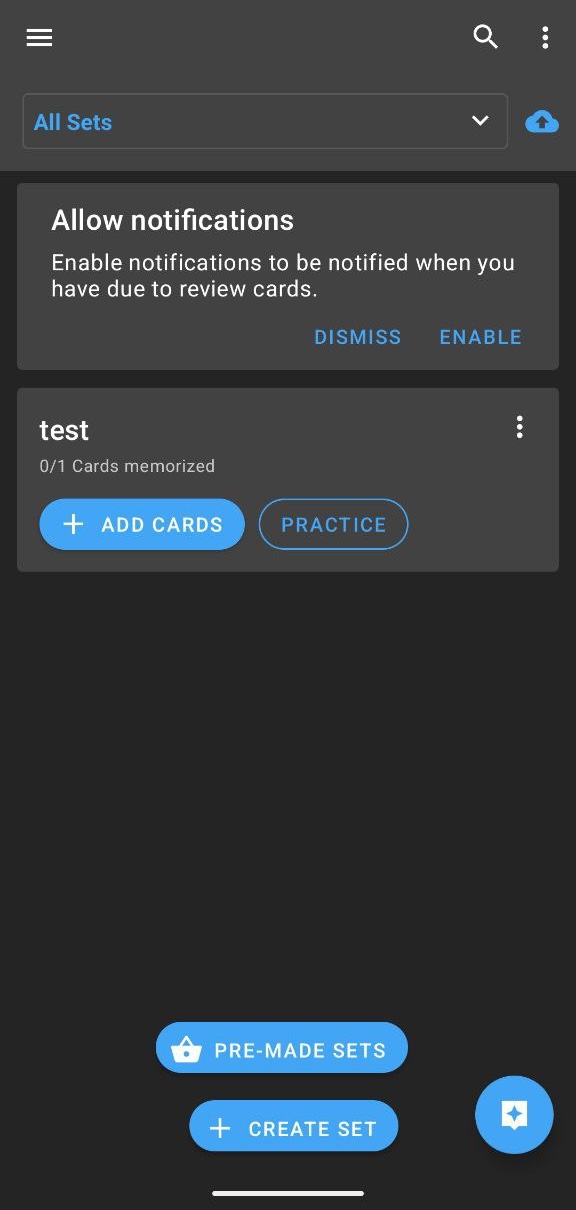
Flashcards World has quietly become one of the most downloaded flashcard apps globally, with over 6.3 million installs and a 4.69-star rating on Google Play. The app offers full offline functionality for free. You can create cards, study them, and run spaced repetition reviews without internet. When you reconnect, everything syncs automatically. The app also includes AI-powered flashcard generation from text input and access to over 100,000 pre-made study sets.
Pros:
- Completely free offline functionality with no paywall
- Multiple study modes including writing review and card matching
- AI flashcard generation from text input
- Large library of pre-made sets covering popular subjects
- Automatic sync when connection returns
Cons:
- Some users report sync issues after recent app updates
- Image display bugs occasionally appear during study sessions
- Web app less polished than mobile versions
- Smaller feature set compared to premium competitors
Download: iOS · Android · Web App
Pricing: Free (all core features), optional one-time Pro purchase

4. RemNote — Notes and Flashcards United
RemNote solves a problem that frustrates many students: copying notes into flashcards. With RemNote, any bullet point in your notes can become a flashcard with one click. The native desktop app offers genuine offline support, storing your knowledge base locally so you can study without internet. The app originated at MIT and combines note-taking with automatic flashcard generation, making it ideal for students who want to build a connected knowledge graph of their learning.
Pros:
- Seamless note-to-flashcard workflow eliminates manual copying
- Native desktop app with real offline functionality
- Student discount available at $6/month
- PDF annotation and image occlusion on Pro tier
- Rich plugin ecosystem for customization
Cons:
- Full offline local storage requires Pro subscription
- Mobile app offline capability more limited than desktop
- Newer platform with smaller community than Anki
- Learning curve for the knowledge graph features
Download: iOS · Android · Desktop
Pricing: Free (basic), $8/month Pro ($6/month students), $395 lifetime
5. Flashcards Maker Offline — Built Specifically for No-Internet Use
Flashcards Maker Offline does exactly what its name promises. This indie app was designed from day one for users who need to study without internet. Everything runs locally. No cloud sync, no account required, no internet dependency at all. The developer actively responds to user feedback and has added spaced repetition support in recent updates. For students who prioritize privacy and offline reliability above all else, this is the purest solution available.
Pros:
- 100% offline functionality with zero internet requirements
- One-time purchase model with no subscription fees
- Extremely lightweight with minimal storage footprint
- Privacy-focused design with no data collection
- Responsive indie developer who personally addresses feedback
Cons:
- No cloud sync means manual backup via CSV export only
- Very small user base with limited community resources
- Basic interface lacking polish of larger competitors
- Limited multimedia support compared to feature-rich apps
Pricing: Free with ads, ~$3.99 visual customization, ~$17.99 all features (one-time)
6. Mindomax — AI Features With Offline Review
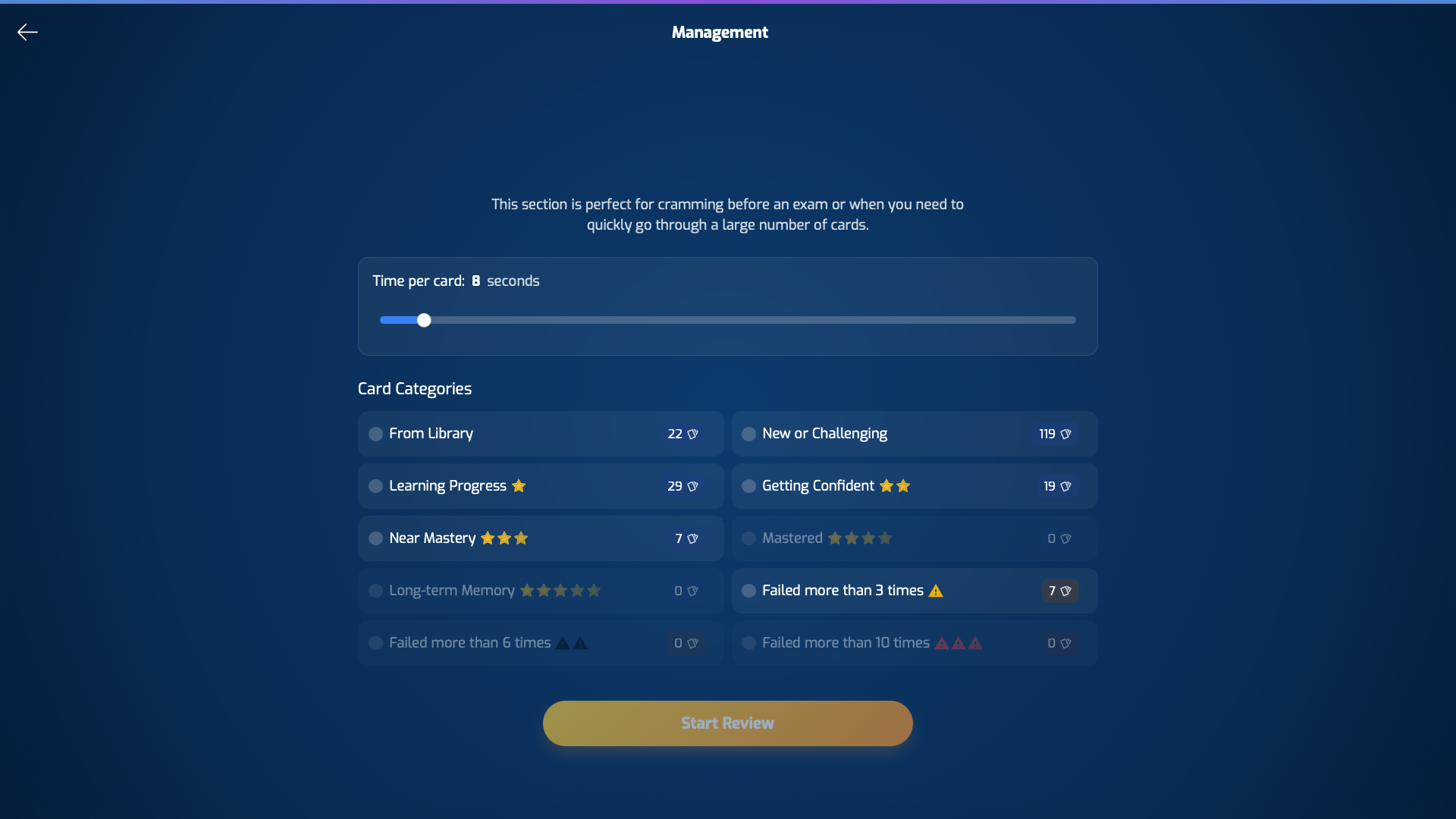
Mindomax brings modern AI capabilities to flashcard creation, including automatic card generation from PDFs, audio files, and images. The app includes a library of over 400,000 pre-made flashcards covering popular exams like MCAT and USMLE. For offline use, Mindomax allows reviewing downloaded flashcards without internet, though creating new AI-generated content requires connectivity. The app launched in late 2025 and continues adding features regularly.
Pros:
- AI-powered flashcard generation from multiple input formats
- Large pre-made library covering medical and standardized test content
- Pronunciation support in 16 languages for language learners
- LaTeX formula editor for STEM subjects
- Affordable pricing at $5/month for Premium
Cons:
- Offline limited to reviewing existing cards, not creating new ones
- Very new platform with small user community
- AI features require Premium subscription for full access
- Limited track record compared to established competitors
Download: iOS · Android · Web App
Pricing: Free (limited), $5/month Premium
7. Brainscape — Confidence-Based Learning With Offline Study
Brainscape uses a unique confidence-based repetition system where you rate how well you know each card from 1 to 5. The app then adjusts review frequency based on your self-assessment. Importantly, offline study is available on the free tier once you download your flashcard sets. You cannot create cards offline, but studying downloaded content works without internet. Brainscape also offers extensive professionally-created content for certifications and professional exams.
Pros:
- Offline study available on free tier after downloading sets
- Clean, professional interface designed for serious learners
- Extensive library of expert-curated content for professional exams
- Confidence-based repetition provides a different approach than traditional SRS
- Lifetime purchase option available
Cons:
- Cannot create or edit flashcards offline
- Pro pricing is expensive at $19.99/month or $199.99 lifetime
- Limited card customization on free tier
- Text-focused with minimal multimedia support
Download: iOS · Android · Web App
Pricing: Free (basic), $19.99/month Pro, $199.99 lifetime

8. Retain — Modern Design With Advanced Card Types
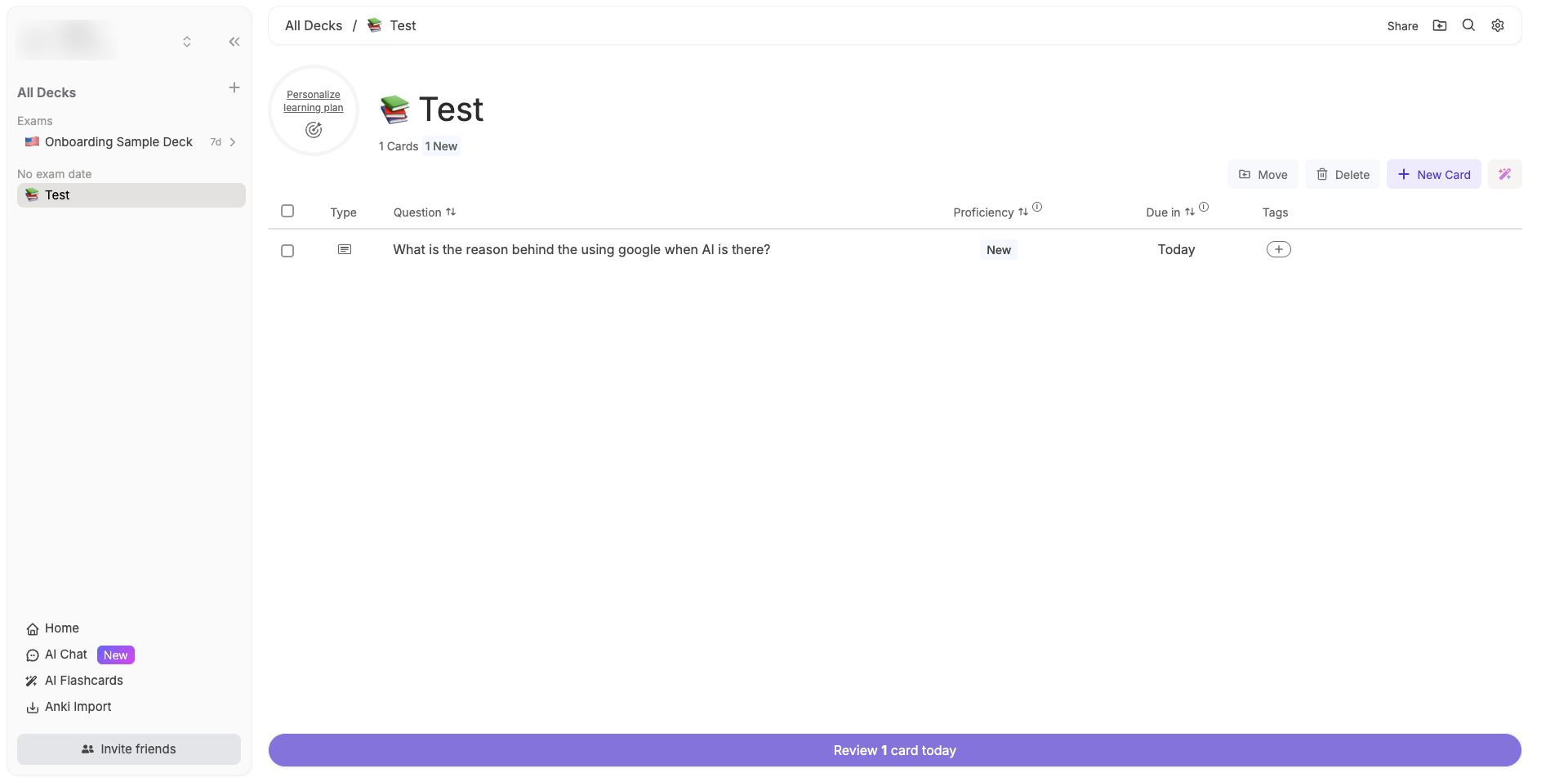
Retain is a newer entrant from Germany that combines Notion-inspired minimalist design with advanced flashcard features. The app explicitly markets offline mode as a core feature and supports sophisticated card types including image occlusion and cloze deletions. Retain also offers what it calls "exam-day knowledge prediction," which estimates your likely performance based on your study progress. The app imports Anki decks seamlessly for students migrating from other platforms.
Pros:
- Explicit offline mode for studying without internet
- Modern, beautiful UI inspired by Notion
- Advanced card types including image occlusion and cloze deletion
- Best-in-class Anki deck import for easy migration
- Exam-day prediction feature helps plan study schedules
Cons:
- Very new app with limited user reviews and track record
- Aggressive upselling prompts for premium features
- Some features being moved behind paywall over time
- Small community with fewer shared resources
Pricing: Free (basic), €3.99/month Standard, €6.99/month Plus with AI
9. SuperMemo — The Original Spaced Repetition Pioneer
SuperMemo invented spaced repetition in 1985. The desktop version for Windows runs completely offline and uses the most sophisticated proprietary SRS algorithm available (SM-18/19). The app also pioneered incremental reading, a technique where you progressively extract knowledge from articles and books into flashcards. For power users who want the deepest algorithmic optimization and do not mind a steep learning curve, SuperMemo remains unmatched.
Pros:
- Invented spaced repetition with 40+ years of algorithm research
- Full offline desktop functionality on Windows
- Unique incremental reading feature unavailable elsewhere
- Professional language courses with AI features
- Most advanced proprietary SRS algorithm
Cons:
- Desktop version is Windows-only, requiring virtualization on Mac
- Extremely steep learning curve even for experienced users
- Confusing product ecosystem with separate desktop and mobile apps
- Mobile and desktop are essentially different products with different pricing
Download: iOS · Android · Desktop (Windows)
Pricing: $66 one-time (desktop), $9.90/month or $99.99/year (mobile/web)
Apps to Avoid for Offline Use
Some popular flashcard apps fail badly for offline study. Quizlet requires a $35.99/year Plus subscription for offline access, and even then only Flashcards and Match modes work offline. Knowt has no meaningful offline functionality at all. StudySmarter requires premium for offline and limits it to flashcard mode only. If offline reliability matters to you, skip these apps despite their brand recognition.
The Science Behind Spaced Repetition
Why do flashcard apps work so well for learning? The answer lies in two principles backed by decades of research: retrieval practice and spaced repetition. Roediger and Butler (2011) demonstrated in Trends in Cognitive Sciences that retrieving information from memory strengthens that memory far more than simply re-reading the same material. A meta-analysis by Latimier et al. (2021) in Educational Psychology Review found a large effect size of g = 0.74 for spaced retrieval practice compared to massed study.
The combination matters most when these techniques work together. You test yourself with flashcards (retrieval practice), and the app schedules your reviews at increasing intervals (spaced repetition). Research by Carpenter et al. (2022) in Nature Reviews Psychology synthesized over 100 years of research and confirmed that combining spacing and retrieval produces the strongest learning outcomes of any study method.

CONCLUSION
Finding the best offline flashcard app depends on your specific needs and budget. Anki remains the most powerful free option for users willing to learn its interface. Mochi Cards offers the best modern design with genuine offline-first architecture. Flashcards World provides the most accessible free experience. For students who need offline study with AI-powered features, several newer apps including Mindomax, RemNote, and Retain offer compelling options. The research is clear that flashcard-based retrieval practice significantly improves learning outcomes. The only question is which app will work when your internet does not.
Offline flashcard apps solve the connectivity problem, but a complete study system also includes note-taking, focus management, and scheduling tools. A guide to the best study apps for students compares fifteen tools across all five categories for students building a full study stack.
Frequently Asked Questions
What is the best free offline flashcard app?
Anki is the best free offline flashcard app for desktop and Android users. It offers complete offline functionality including card creation, study sessions, and spaced repetition scheduling without any cost. iOS users must pay $24.99 for AnkiMobile.
Can I use Quizlet offline for free?
No. Quizlet requires a Quizlet Plus subscription at $35.99 per year for offline study access. Even with Plus, only Flashcards and Match modes work offline. Free users cannot study offline at all.
Do offline flashcard apps sync when I get internet again?
Most offline flashcard apps automatically sync your progress when you reconnect to the internet. Anki syncs through AnkiWeb, Mochi Cards syncs with Pro subscription, and Flashcards World syncs automatically. Some apps like Flashcards Maker Offline have no sync and require manual CSV backup.
Is spaced repetition better than regular flashcard review?
Yes. Research shows spaced repetition produces significantly better long-term retention than massed or random review. A 2021 meta-analysis found spacing effect sizes of g = 0.74, meaning spaced review is substantially more effective for learning.
Which offline flashcard app is best for medical students?
Anki is most popular among medical students, with studies showing users score 12.9% higher on comprehensive exams. SuperMemo offers the most sophisticated algorithm. Mindomax has extensive pre-made medical content. Each has tradeoffs between learning curve, price, and features.


