INTRODUCTION
Most flashcard apps are built for phones. Open one on a laptop and the experience is a stretched-out mobile interface inside a browser tab. For students who create hundreds of cards from dense PDFs, type LaTeX formulas, or run three-hour study sessions at a desk, that is not good enough. The best flashcard app for PC needs a real desktop presence: keyboard shortcuts, offline reliability, large-screen optimization, and an algorithm that actually schedules reviews based on memory science. A meta-review by Dunlosky et al. (2013) rated only two study techniques as "high utility" out of ten commonly used methods. Both of them, practice testing and distributed practice, are exactly what a good flashcard app automates. The eight tools below were tested specifically on desktop computers running Windows and macOS in 2026.

1. Anki — Free, Open-Source, and Still Unmatched on PC
Anki remains the only flashcard app with fully native, free desktop applications for Windows, macOS, and Linux. The codebase is open source. No subscription. No feature limits. Since version 23.10, Anki ships the FSRS algorithm alongside its classic SM-2 scheduler, and FSRS is now recommended as the default. Over 1,600 community add-ons extend functionality. The shared deck library covers everything from anatomy to bar exam prep. A 2023 study by Gilbert et al. in Medical Science Educator found that medical students using Anki scored 12.9 percent higher on comprehensive exams compared to non-users. The trade-offs are real: the interface has not meaningfully changed since 2006, card creation is fully manual without AI, and the iOS app costs $24.99. New users routinely spend more time configuring settings than studying.
Download: iOS · Android · Windows / macOS / Linux
2. RemNote — Notes and Flashcards in One Desktop App
RemNote bridges the gap between note-taking and spaced repetition. Type two colons after a bullet point and it becomes a flashcard linked to its original context. The app ships native Electron-based desktop applications for Windows, macOS, and Linux with full offline support. PDF annotation converts highlights into cards directly. Image occlusion and cloze deletions work out of the box. A knowledge graph connects related concepts across documents. SM-2 is the default scheduler with FSRS available in beta. AI features on the Pro+AI tier generate cards from uploaded PDFs and include an AI tutor. Pro costs $8 per month with a student discount at $6. The learning curve is steeper than single-purpose tools, and the mobile app still lags behind the desktop experience.
Download: iOS · Android · Windows / macOS / Linux
3. Mindomax — AI Card Creation From PDFs, Audio, and Images
Mindomax focuses on the bottleneck that stops most students from sticking with spaced repetition: making cards takes too long. Upload a PDF, record a lecture, or photograph handwritten notes and the AI generates flashcards in seconds. The app includes a LaTeX formula editor, pronunciation in fourteen languages, and over 400,000 pre-made flashcards for USMLE, MCAT, GRE, and language exams. Scheduling uses a proprietary algorithm called the Windcatcher Theory. A native macOS desktop app is available, and Windows users access the platform through the web client. Free allows one box with unlimited cards and three daily AI requests. Premium at $5.99 per month unlocks ninety daily AI requests and the full pre-made library. The honest limitation: there is no native Windows or Linux desktop app yet, and the web client requires an internet connection.
Download: iOS · Android · macOS / Web
4. Mochi — Markdown Flashcards Built for Keyboard Users
Mochi was designed for people who think in plain text. Cards and notes are written in Markdown with full LaTeX support. The interface is deliberately stripped back. No gamification, no social features, no visual clutter. One click converts notes into flashcards. Image occlusion is built in. Linked cards create a network of related concepts. Mochi runs natively on Windows, macOS, and Linux with an offline-first architecture that does not require an account to start. FSRS is supported natively since mid-2025. The free tier includes unlimited local cards on a single device. Syncing across devices requires Pro at $5 per month. The main limitation is a tiny ecosystem. No shared deck library, no pre-made content, no community add-ons. If the cards do not already exist, the user builds everything from scratch.
Download: iOS · Android · Windows / macOS / Linux
5. SuperMemo — The Algorithm Pioneer, Windows Only
SuperMemo is where spaced repetition started. Piotr Wozniak created the first computer-based scheduling algorithm in 1987 in Poland. SuperMemo 20, released in 2026, runs five algorithms simultaneously in an "Algorithm Arena" and weights each by predictive accuracy on the individual user's data. The system also pioneered incremental reading, which lets users import long articles, books, and PDFs, then gradually distill them into flashcards over time. No other app replicates this workflow. SuperMemo 20 costs roughly $68 as a one-time purchase with a lifetime license. The catch: it runs exclusively on Windows. No macOS, no Linux, no mobile companion app with real sync. The interface looks and feels like a Windows application from the early 2000s. The learning curve is brutal.
Download: Windows

6. Knowt — Free Quizlet Replacement in the Browser
Knowt has grown past five million users by offering what Quizlet increasingly locks behind paywalls: free learn mode, free practice tests, and free AI card generation. Upload notes, PDFs, or lecture videos and the AI produces flashcards and quizzes automatically. A Chrome extension imports Quizlet sets in one click. Roughly 700,000 of 1.3 million AP exam takers used Knowt in May 2025. On PC, Knowt runs entirely in the browser. No native desktop app, no offline mode. The spaced repetition algorithm is basic compared to FSRS or SM-2. It adapts review frequency but does not use true interval-based scheduling. That makes it effective for short-term exam prep but weaker for long-term retention across thousands of cards. Ultra starts at about $5 per month.
7. Brainscape — Expert-Made Decks With Confidence-Based Repetition
Brainscape takes a different approach to scheduling. Instead of binary right-or-wrong grading, the learner rates confidence on a 1-to-5 scale after each card. This metacognitive feedback drives what Brainscape calls Confidence-Based Repetition. The Knowledge Genome marketplace offers thousands of expert-verified decks for MCAT, USMLE, bar exam, CPA, and language certifications. AI now generates cards from uploaded PDFs and PowerPoints. On PC, Brainscape runs in the browser. No native desktop app. Pro costs $9.99 per month. The limitation is that the CBR algorithm is proprietary and has not been independently benchmarked against FSRS or SM-2 in published research. Power users who want deep customization will feel constrained.
8. Quizlet — Largest Library, Shrinking Free Tier
Quizlet remains the largest flashcard platform with over 800 million user-created study sets and roughly 60 million monthly active users. The interface is clean. Multiple study modes keep sessions varied: traditional cards, matching games, writing practice, timed tests. Creating sets is fast. On PC, Quizlet is browser-only with no native desktop app. In 2026, the free tier has become increasingly restricted. Learn mode, the adaptive study feature, now requires a Quizlet Plus subscription at $7.99 per month. The scheduling algorithm is proprietary and not based on FSRS or SM-2, with limited transparency about how review intervals work. For casual review of existing study sets, Quizlet is unmatched. For long-term retention with scientifically grounded scheduling, it falls short of apps built around real spaced repetition algorithms.

Native Desktop App vs Browser: Why It Matters
When a student searches for the best flashcard app for PC, the word "PC" implies a specific need. Not just access through a browser tab. A real desktop experience.
The difference matters more than most comparison articles acknowledge. A native desktop application runs without a browser, starts faster, works fully offline, and integrates with the operating system. Keyboard shortcuts respond instantly. Files save locally. Study sessions survive internet outages.
An Electron app wraps a web renderer inside an installable package. RemNote and Mochi both use this approach. The result feels close to native. Offline mode works. System notifications fire. The trade-off is higher RAM usage, sometimes noticeable on older machines.
A browser-only app like Quizlet, Knowt, or Brainscape depends entirely on an internet connection for most features. Close the tab and the session disappears. AI features, syncing, and even basic card review often fail offline.
A cross-platform audit of fourteen flashcard apps found that only four offered genuine installable desktop applications connected to mobile and web by working sync: Anki, RemNote, Mochi, and SuperMemo. Every other app tested was either browser-only or a progressive web app wrapper.
For students who study at a desk for hours, the practical difference is significant. Card creation is dramatically faster with a full keyboard and large screen. Multi-window workflows matter for medical students annotating PDFs in one window and entering cards in another. Browser-based apps lose access during internet outages. Native apps keep working.
How Scheduling Algorithms Differ Across These Apps
Not every spaced repetition algorithm produces the same results. The differences are often invisible to the user but directly affect how many cards get reviewed and how much gets retained.
SM-2 was created by Piotr Wozniak in 1987 and remains the foundation of most spaced repetition apps still in use today. It assigns each card an "ease factor" that adjusts with every review. Correct answers push the next review further out. Wrong answers reset the interval. The formula is fixed and treats every learner identically. Anki used SM-2 exclusively for over fifteen years.
FSRS changed the game. Developed by Jarrett Ye and presented at ACM KDD 2022, it uses machine learning trained on hundreds of millions of real reviews to model each card's stability and retrievability per user. In the largest open benchmark of spaced repetition algorithms, FSRS showed lower prediction error than SM-2 in 99.6 percent of tested user collections. Simulation data suggests roughly twenty to thirty percent fewer reviews for the same retention rate. Anki, Mochi, and several other apps now support FSRS natively.
Confidence-Based Repetition, used by Brainscape, asks the learner to self-rate confidence from 1 to 5 instead of simply marking correct or wrong. The metacognitive feedback drives scheduling. A 2010 methodology paper by Cohen describes the approach, though independent benchmarks against FSRS are not available.
Proprietary algorithms used by Quizlet, Knowt, and Mindomax are not published. Quizlet's system was trained on data biased toward short study sessions of less than four days. Knowt adapts review frequency but does not use true interval-based scheduling. Without published benchmarks, it is impossible to compare these directly.
The practical takeaway is straightforward. Any spaced repetition system outperforms random study. Rowland (2014) confirmed across hundreds of studies that retrieval practice produces substantially better retention than re-reading. The differences between algorithms are real but incremental compared to the massive gain from using spaced repetition at all.

The Science Behind Why Flashcards Work
Flashcards combine the only two study techniques with strong empirical support for long-term retention.
The first is active recall. When a card appears and the learner retrieves the answer from memory before checking, that act of retrieval strengthens the memory trace. Roediger and Butler (2011) showed in Trends in Cognitive Sciences that retrieval practice is among the most effective methods for building durable memory. A meta-analysis by Rowland (2014) in Psychological Bulletin found an effect size of g = 0.73 for testing with feedback versus restudy. That is a large effect by any standard in educational research.
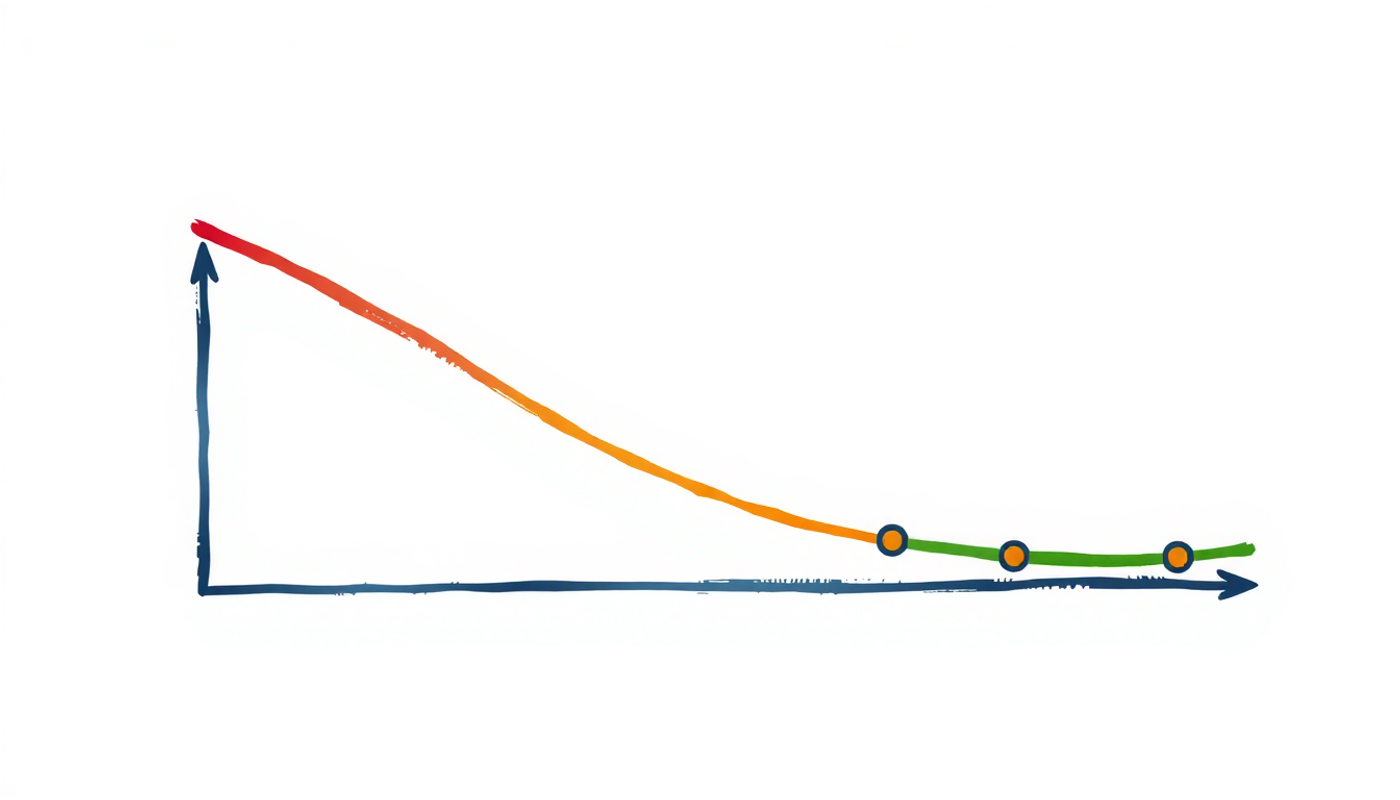
The second is distributed practice. In 1885, Hermann Ebbinghaus demonstrated that memory decays steeply in the first hours after learning. A replication by Murre and Dros (2015) confirmed that most people forget fifty to seventy percent of new information within a day without review. But each successful retrieval at the right moment flattens the curve. Kang (2016) confirmed in Policy Insights from the Behavioral and Brain Sciences that spacing produces substantially better long-term learning than massed practice.
A 2025 study by Price et al. in Academic Medicine, with a sample of over 26,000 physicians, found that spaced repetition yielded 58 percent retention versus 43 percent for the control group. When active recall and spaced scheduling combine in a flashcard app with a strong algorithm, the result outperforms every other study method with published empirical support.
CONCLUSION
The best flashcard app for PC depends on what "PC" actually means to the learner. For students who want a native desktop application that works offline, creates cards manually with full control, and costs nothing, Anki has no real competitor in 2026. For those who want notes and flashcards in one tool, RemNote and Mochi both ship installable desktop apps with modern interfaces. For AI-powered card creation from PDFs and lectures, Mindomax and Knowt offer the fastest workflows. SuperMemo remains the most algorithmically advanced option but locks users into Windows with a steep learning curve. And Quizlet still has the largest library of existing study sets, even as its free tier shrinks. The underlying science is settled. Upadhyay et al. (2021) showed in npj Science of Learning that machine-learning-based scheduling helped students retain content roughly sixty-nine percent longer. The tools have caught up to the research. What matters most is picking one and using it consistently.
Frequently Asked Questions
Is there a good flashcard app that works offline on PC?
Anki, RemNote, Mochi, and SuperMemo all offer installable desktop applications with full offline support on PC. Anki is free and runs natively on Windows, macOS, and Linux. Mochi uses an offline-first architecture that stores cards locally without requiring an account. Most other flashcard apps are browser-based and need an internet connection.
What is the difference between FSRS and SM-2 algorithms?
SM-2 uses a fixed formula from 1987 that adjusts review intervals based on ease factors. FSRS uses machine learning trained on hundreds of millions of real reviews to predict when each user will forget each card. Benchmarks show FSRS reduces total reviews by roughly twenty to thirty percent while maintaining the same retention level as SM-2.
Are free flashcard apps good enough for medical students?
Anki is free on desktop and Android and remains the most widely used flashcard app among medical students. Community-built decks like AnKing cover USMLE Step 1 and Step 2 CK content thoroughly. A 2023 study found Anki users scored 12.9 percent higher on comprehensive medical exams compared to non-users.
Can AI make flashcards from my lecture PDFs?
Yes. Several apps generate flashcards automatically from uploaded PDFs. Knowt, Mindomax, RemNote, and Brainscape all offer AI-powered card creation from documents. Quality varies and most users find that AI-generated cards need some editing before they are study-ready.
Why do some flashcard apps only work in a browser on PC?
Building native desktop applications for Windows, macOS, and Linux requires significantly more development resources than building a single web app. Most newer flashcard startups prioritize mobile apps and browser access first. Only Anki, RemNote, Mochi, and SuperMemo currently ship installable desktop applications.