INTRODUCTION
Making flashcards by hand works. It also takes forever. A single textbook chapter can demand fifty to a hundred cards, and that is before the actual studying begins. AI flashcard tools promise to fix this by turning PDFs, lecture audio, and handwritten notes into study-ready decks in under a minute. But not all of them deliver equally. Some produce shallow definition cards. Others skip spaced repetition entirely. A few get the science right and the interface wrong. To compare AI flashcard tools fairly, the focus here is on what actually matters: how good the generated cards are, whether the app schedules reviews using evidence-backed spacing, what input formats it accepts, and what it costs. A landmark review by Dunlosky et al. (2013) in Psychological Science in the Public Interest rated only two study techniques "high utility" out of ten: practice testing and distributed practice. Every tool on this list attempts to automate both. Anki, Quizlet, and Brainscape remain well-known options with large user bases, but they either lack built-in AI generation, lock AI features behind expensive paywalls, or rely on outdated interfaces. The nine apps below represent what the next generation of AI-powered study tools actually looks like.
1. Knowt
Knowt grew past four million users by giving away what Quizlet started charging for. Upload notes, PDFs, PowerPoints, or YouTube video links and the AI generates flashcards and practice quizzes. A Chrome extension imports existing Quizlet sets with one click. Learn mode, practice tests, match games, and spaced repetition all work on the free tier without caps. The spaced repetition is basic compared to FSRS or SM-2. It adapts review frequency but does not use true interval scheduling, which makes it stronger for short-term exam prep than multi-year retention. Ultra costs roughly $9.99 per month billed annually and unlocks the Kai chatbot tutor plus unlimited AI.
2. RemNote
RemNote turns note-taking and flashcard review into a single workflow. Type "::" in any bullet point and it becomes a flashcard linked to its original context. The app supports SM-2 and the newer FSRS algorithm, PDF annotation with highlight-to-flashcard conversion, image occlusion, and a knowledge graph connecting concepts across documents. AI on the Pro+AI tier generates cards from PDFs, includes a lecture recorder, and provides an AI tutor. Pro costs $8 per month annually. Desktop apps cover Windows, macOS, and Linux. The learning curve is steeper than single-purpose flashcard tools, and AI credits on the standard plan run out quickly during heavy use.
3. StudyFetch
StudyFetch reports over six million users and raised $11.5 million in 2025 from Owl Ventures and College Board. Its AI tutor Spark.E is grounded in uploaded materials, meaning it answers questions from the content rather than general knowledge. Upload a PDF, lecture recording, or PowerPoint and the app generates flashcards, quizzes, summaries, and even audio podcast recaps. A Live Lecture mode captures notes in real time. The free tier is extremely limited. Base starts at $4.99 per month billed annually. The main weakness is STEM accuracy. Math notation, chemistry structures, and medical terminology produce errors that require manual cleanup.
4. Gizmo
Gizmo leans into gamification. Hearts, hints, streaks, leaderboards, and XP turn review sessions into something closer to a mobile game than a study drill. The AI imports content from Quizlet, Anki, YouTube, PDFs, and photographed handwritten notes. An "Explain" feature pulls context from the original source material. The app targets high-school and AP/GCSE students, and the interface reflects that audience. Pricing is not transparently published but hovers around $3 to $9 per month depending on billing cycle. Spaced repetition exists but reviewers note it under-surfaces older cards in decks above 100 items.
5. Mindomax
Mindomax focuses on multi-format AI input. Record a lecture, upload a PDF, photograph handwritten notes, or type raw text. The AI generates flashcards from all of these, including a LaTeX formula editor for STEM subjects. The app ships with over 150,000 pre-made flashcards covering USMLE, MCAT, GRE, PMP, and several languages. Pronunciation works in fourteen languages. Its scheduling uses a proprietary adaptive algorithm. Free allows one box with unlimited cards and three AI requests daily. Premium at roughly $5.99 per month unlocks ninety daily AI requests and the full pre-made library. As a late-2025 launch by Lumixis Core Studio, it has a smaller user community than established players and no Anki import. A deeper look at how it fits alongside similar tools is available in this AI flashcard app comparison.
6. NoteGPT
NoteGPT started as a YouTube summarizer and expanded into a multi-format study toolkit. Paste a video URL and it generates flashcards, mind maps, summaries, and even slide presentations from the captions. It also handles PDFs, webpages, and audio uploads in over sixty languages. The Chrome extension has a 4.9 rating. The trade-off is that NoteGPT has no spaced repetition scheduler. Cards are generated as static study aids, not scheduled for optimal review. That makes it useful for creating materials but not for long-term retention without exporting to another tool.
Download: Web | Chrome Extension
7. Wooflash
Wooflash is built for classrooms, not solo cramming. Developed by Belgian EdTech company Wooclap, it is adopted across European universities including Paris Cite, Leiden, and Lausanne. Teachers upload course materials and the Quiz Wizard AI generates over twenty question types: MCQs, fill-in-the-blank, matching, sorting, and flashcards. The adaptive algorithm draws on neuroeducation research by Steve Masson at UQAM. Free for students. Institutional licensing through Wooclap on request. The limitation is clear: Wooflash is designed for teacher-to-student workflows. Solo learners without an instructor will find fewer features relevant.
8. CuFlow
CuFlow takes a strict anti-hallucination approach. Its AI tutor only answers from uploaded course materials, refusing to pull from general knowledge. Upload PDFs, PowerPoints, or lecture recordings and it generates flashcards, quizzes, summaries, and mind maps. FlowNote captures and structures the learning process automatically. STEM-friendly features include formula and diagram parsing. Free gives two generations per day. Pro costs $9 per month for unlimited uploads and twenty daily generations. The biggest gap: no mobile apps and no Anki export. Web-only access limits studying on the go.
Download: Web
9. Revisely
Revisely is one of the few AI flashcard tools with native Anki export. Upload a PDF, Word document, or photograph of handwritten notes and it generates flashcards in under ten seconds. An Exam Mode with AI-graded feedback scores answers and explains mistakes. Printable single and double-sided flashcard PDFs are auto-formatted for cutting. Fifty languages are supported for quizzes. The free tier is restrictive at five pages per document. Pro starts at $12 per month. The main limitation is the absence of spaced repetition. Cards are generated and studied, but not scheduled for long-term retention.
Download: Web
The Science Behind Flashcard Effectiveness
Flashcards work because they force retrieval. When a question appears and the learner pulls the answer from memory before checking, that act of retrieval strengthens the memory trace far more than rereading the same material. Karpicke and Roediger (2008) demonstrated this in Science: students who practiced retrieval retained roughly eighty percent of material after one week, compared to thirty-six percent for those who only restudied. A meta-analysis by Rowland (2014) confirmed the testing effect across hundreds of experiments with an average effect size of g = 0.50.
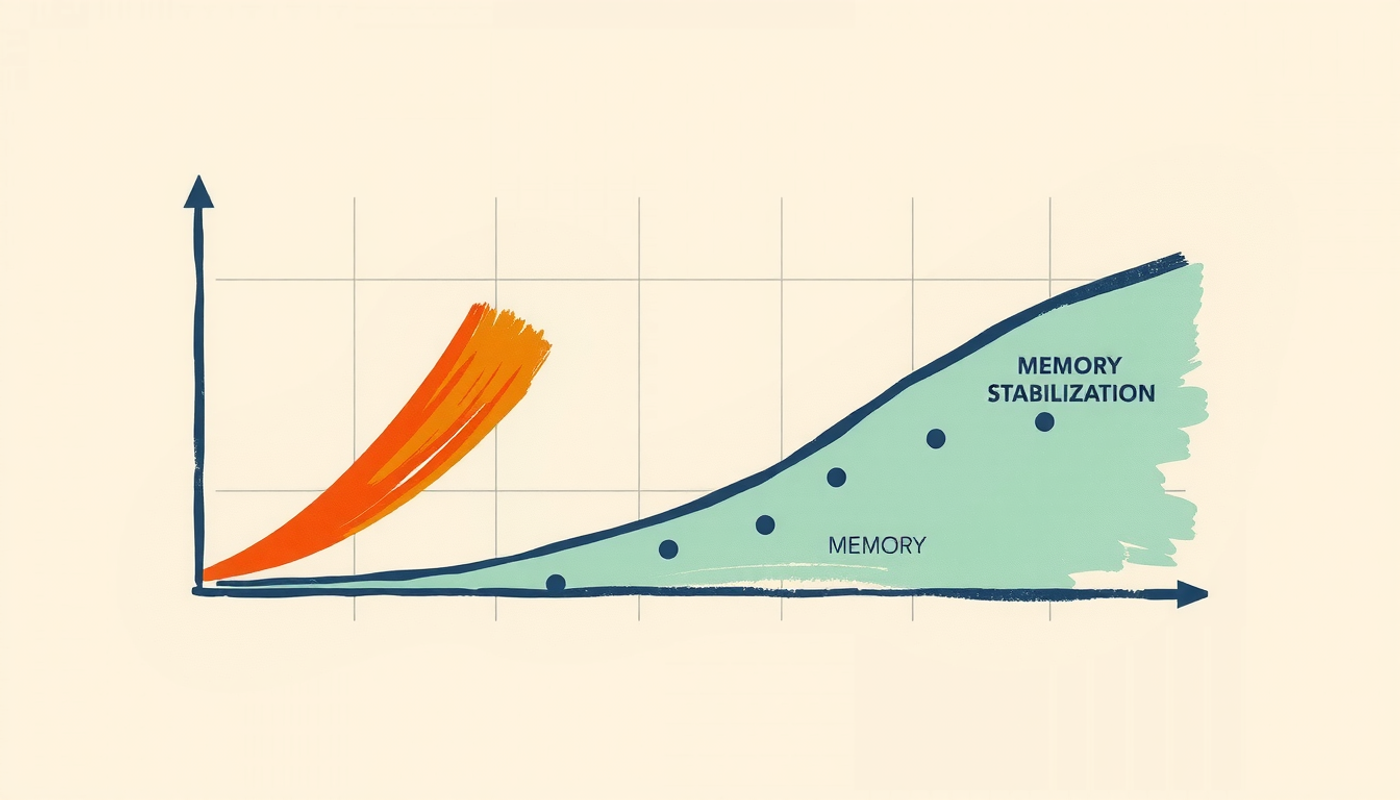
Spacing adds the second layer. Hermann Ebbinghaus showed in 1885 that memory decays sharply in the first hours after learning. A replication by Murre and Dros (2015) confirmed that most people lose fifty to seventy percent of new information within a single day without review. Spaced repetition algorithms exploit this by scheduling each card just before the learner would forget it. Each successful retrieval at that threshold moment flattens the decay curve. The combination of retrieval practice plus spacing is, according to a synthesis by Carpenter, Pan, and Butler (2022) in Nature Reviews Psychology, one of the most replicated findings in all of learning science.
How Algorithms Differ
The algorithm driving the review schedule matters more than most students realize. SM-2, the system Anki used since its creation, adjusts intervals using a fixed ease factor that shifts with each self-rating. FSRS, integrated natively into Anki since version 25.07 in July 2025, uses machine learning trained on over 700 million reviews to model individual forgetting curves. A large-scale experiment by Upadhyay et al. (2021) in npj Science of Learning found that ML-based scheduling helped learners retain content roughly sixty-nine percent longer than fixed schedules. For a broader comparison of apps using these algorithms, see this guide to Anki alternatives with AI.
Other tools on this list take proprietary routes. Mindomax uses an adaptive system it calls Windcatcher Theory. Wooflash applies a neuroeducation model. Knowt and StudyFetch use basic adaptive review. None of these publish benchmarks or open their scheduling code. That does not necessarily mean they perform poorly. It means the evidence stays private. The practical takeaway: any spaced system beats no system. The differences between algorithms are real but incremental compared to the massive gain from using spaced repetition at all.

CONCLUSION
The evidence for retrieval practice and spacing is among the strongest in education research. What changed in 2026 is that AI removed the biggest barrier: the hours it takes to create good flashcards. Nine tools now handle that step automatically from PDFs, audio, video, and images. The real question is not whether AI flashcard tools work. It is which one fits how someone actually studies. A medical student drilling USMLE content has different needs than a high-schooler preparing for AP Biology. Choosing the right tool means matching the algorithm, the input format, and the price to the way the learner actually works.
Frequently Asked Questions
Are AI-generated flashcards as effective as ones made by hand?
AI cards save significant creation time but typically need some editing. Research shows roughly eighty-five percent accuracy for factual content, with minor errors on nuanced material. The recommended approach is using AI for bulk generation and spending a few minutes reviewing and correcting the output before studying.
What is FSRS and how is it different from SM-2?
FSRS is a machine-learning scheduler trained on hundreds of millions of real reviews. It personalizes intervals to individual forgetting patterns, cutting total reviews by twenty to thirty percent compared to SM-2 at the same retention target. SM-2 uses a fixed formula that treats all learners identically.
Can AI flashcard tools turn a YouTube video into study cards?
Yes. Knowt, NoteGPT, Gizmo, StudyFetch, and Wooflash all accept YouTube URLs and generate flashcards from the video transcript or captions. Quality depends on the clarity of the audio and how well the AI identifies key concepts from spoken content.
Which AI flashcard app has the best free tier?
Knowt offers the most generous free tier among AI-powered tools, with unlimited flashcards, learn mode, practice tests, and spaced repetition at no cost. For users who prefer open-source with maximum control, Anki remains completely free on desktop and Android, though it requires manual card creation or third-party add-ons for AI.
Do any of these tools work offline?
RemNote and Anki offer full offline functionality. Mindomax and Gizmo cache downloaded decks for offline review but require connectivity for AI generation. Most other tools on this list are web-based or cloud-dependent, which limits studying without an internet connection.