![7 Best Leitner System Apps in 2026 [Honest Comparison]](/_next/image?url=https%3A%2F%2Fapi.mindomax.com%2Fv1%2Fauthorization%2Fblog%2Fimage%2Fleitner-system-apps-illustration-fc32.png%3Fv%3D3&w=1920&q=75)
INTRODUCTION
You searched for a leitner system app. That means you already know something most students don't — the Leitner method is one of the simplest and most effective ways to memorize anything with flashcards. Sebastian Leitner described it in his 1972 book So lernt man lernen, and the idea is beautifully straightforward. You sort flashcards into boxes. Get a card right, it moves to a higher box and you see it less often. Get it wrong, it drops back to box one. Your brain focuses on what it hasn't learned yet.
But here's the problem. Most flashcard apps don't actually use the Leitner system. They use different algorithms — SM-2, FSRS, or proprietary adaptive systems — that work on similar principles but aren't the same thing. Some apps claim to be Leitner-based when they're really not. Others skip the Leitner method entirely but still deliver excellent spaced repetition results. The difference matters if you care about how your study sessions are structured.
According to Murre and Dros (2015), who successfully replicated Ebbinghaus' forgetting curve in PLOS ONE, people lose roughly 50 to 70 percent of newly learned information within the first day without reinforcement. The Leitner system was specifically designed to fight this. So which apps genuinely follow the Leitner method? And which ones are worth considering even though they use a different approach? This guide compares seven popular options honestly.

Leitner vs Modern Spaced Repetition — What's the Difference?
Before comparing apps, it helps to understand what makes the Leitner system different from modern spaced repetition algorithms. The original Leitner method uses a fixed box structure. Cards move up when answered correctly and drop back to box one when answered wrong. Review schedules are tied to which box a card sits in — box one might be daily, box two every other day, box three once a week. Simple. No math required.
Modern algorithms like SM-2 (used in Anki) and FSRS take a different approach. They calculate optimal review intervals for each individual card based on your response history. Instead of fixed boxes, they use continuous mathematical functions to predict exactly when you're about to forget something. A 2019 study by Tabibian et al. published in PNAS found that data-driven algorithms can outperform the Leitner system in certain conditions — but also noted that the Leitner method "achieved reasonable success in practice."
The science behind both approaches is solid. A meta-analysis by Latimier et al. (2021) in Educational Psychology Review analyzed 29 studies and found a strong benefit for spaced retrieval practice with an effect size of g = 0.74. And Dunlosky et al. (2013) rated practice testing and distributed practice as the only two "high utility" learning techniques out of ten studied. The Leitner system naturally combines both.
So does it matter which algorithm your app uses? Honestly, for most students the answer is no. Consistency matters more than algorithm choice. A meta-analysis of 217 studies by Adesope et al. (2017) in Review of Educational Research found a mean effect size of g = 0.61 for practice testing — regardless of the specific scheduling approach used. The key is that you test yourself repeatedly at spaced intervals. Whether those intervals come from a Leitner box or an SM-2 calculation, your brain benefits.
That said, the Leitner system has one clear advantage — simplicity. You don't need to understand ease factors or retention rates. You just answer the card and it moves. For people who find Anki's settings overwhelming, a pure leitner system app can be the difference between actually studying and giving up. The list below makes clear which apps offer a genuine Leitner experience and which ones take a different path.
The 7 Best Leitner System Apps Compared
1. Anki — Best for Power Users Who Want Full Control
Anki is the most well-known flashcard application in the world. Originally released in 2006, it has built a massive community — particularly among medical students. A widely cited survey found that over 86% of American medical students use Anki, with 66.5% studying daily. The app uses the SM-2 algorithm by default, and since version 23.10 also supports FSRS (Free Spaced Repetition Scheduler). It does not use the Leitner system. But its power, flexibility, and enormous shared deck library make it the benchmark every other flashcard app is measured against. The open-source nature means thousands of community-built add-ons exist for everything from image occlusion to automatic card generation. AnkiDroid alone has over 10 million downloads on Google Play.
Pros:
- Completely free on desktop (Windows, Mac, Linux) and Android
- Over 10 million downloads on Google Play with 100,000+ shared community decks
- Highly customizable with thousands of add-ons and plugins
- Supports text, images, audio, video, LaTeX, and MathJax
- FSRS algorithm option for optimized scheduling since Anki 23.10
Cons:
- Steep learning curve — terms like "ease factor" and "interval modifier" overwhelm beginners
- iOS app (AnkiMobile) costs $24.99, which surprises many new users
- Dated user interface that feels technical rather than friendly
- No built-in AI card generation — requires third-party add-ons
- Missing a few days creates overwhelming review backlogs
Download: iOS (AnkiMobile — $24.99) · Android (AnkiDroid — Free) · Web App
Pricing: Free (desktop and Android). $24.99 one-time purchase (iOS).
2. Leitner Box Flashcards — The Closest to a True Leitner System App
Leitner Box Flashcards by AlgoApp is one of the few apps that faithfully implements the original Leitner method with seven box levels. Cards move up when you answer correctly and drop back to level one when you get them wrong. If you specifically want a leitner system app that works exactly like the physical cardboard box Sebastian Leitner described, this is the most polished option available right now.
Pros:
- Faithful 7-level Leitner system implementation with visual box representation
- No ads even in the free version — a rare feature in this category
- AI flashcard generation for faster card creation
- Cloud sync across devices with the Pro subscription
- Practice Mode lets you review cards without affecting your level progress
Cons:
- No web app — mobile only (iOS and Android)
- Free version lacks cloud sync, which means losing your phone means losing your cards
- Users report that new cards must be finished before practicing higher levels
- Small user community compared to Anki or Quizlet (around 17,000 Android downloads)
- Limited import options — no PDF import
Download: iOS (Free) · Android (Free)
Pricing: Free basic version. Pro subscription unlocks cloud sync, AI generation, and advanced features (in-app purchase).
3. Quizlet — Largest User Base, Not Actually Leitner
Quizlet is the biggest flashcard platform in the world with over 500 million user-created study sets and 300 million registered learners. It uses a proprietary adaptive algorithm that sorts cards into "Know" and "Still Learning" categories — this is not the Leitner system. Quizlet focuses more on short-term test preparation than long-term memory building, which is a meaningful distinction. The platform is excellent for quick review sessions before an exam. But if you need to retain information for months or years — like medical terminology or a second language — the lack of a true spaced repetition algorithm is a real limitation. Quizlet's recent shift toward paywalling features that were previously free has also frustrated many users.
Pros:
- Enormous library of pre-made study sets covering virtually every subject
- Multiple study modes including Learn, Test, Match, and collaborative Quizlet Live
- AI features like Q-Chat tutor and Magic Notes for turning PDFs into flashcards
- Available on iOS, Android, and web with good cross-platform sync
- Text-to-speech in 18+ languages
Cons:
- Many features that were previously free now require a paid subscription
- Free tier limited to five flashcard sets via text import and includes ads
- Not designed for long-term retention — better for cramming before a test
- Users on Trustpilot rate it 1.4 out of 5 stars, mostly due to paywall complaints
- No true spaced repetition algorithm comparable to Leitner or SM-2
Download: iOS (Free) · Android (Free) · Web App
Pricing: Free with limitations. Quizlet Plus at approximately $7.99/month or $35.99/year.

4. Mindomax — AI-Powered Flashcards With Adaptive Scheduling
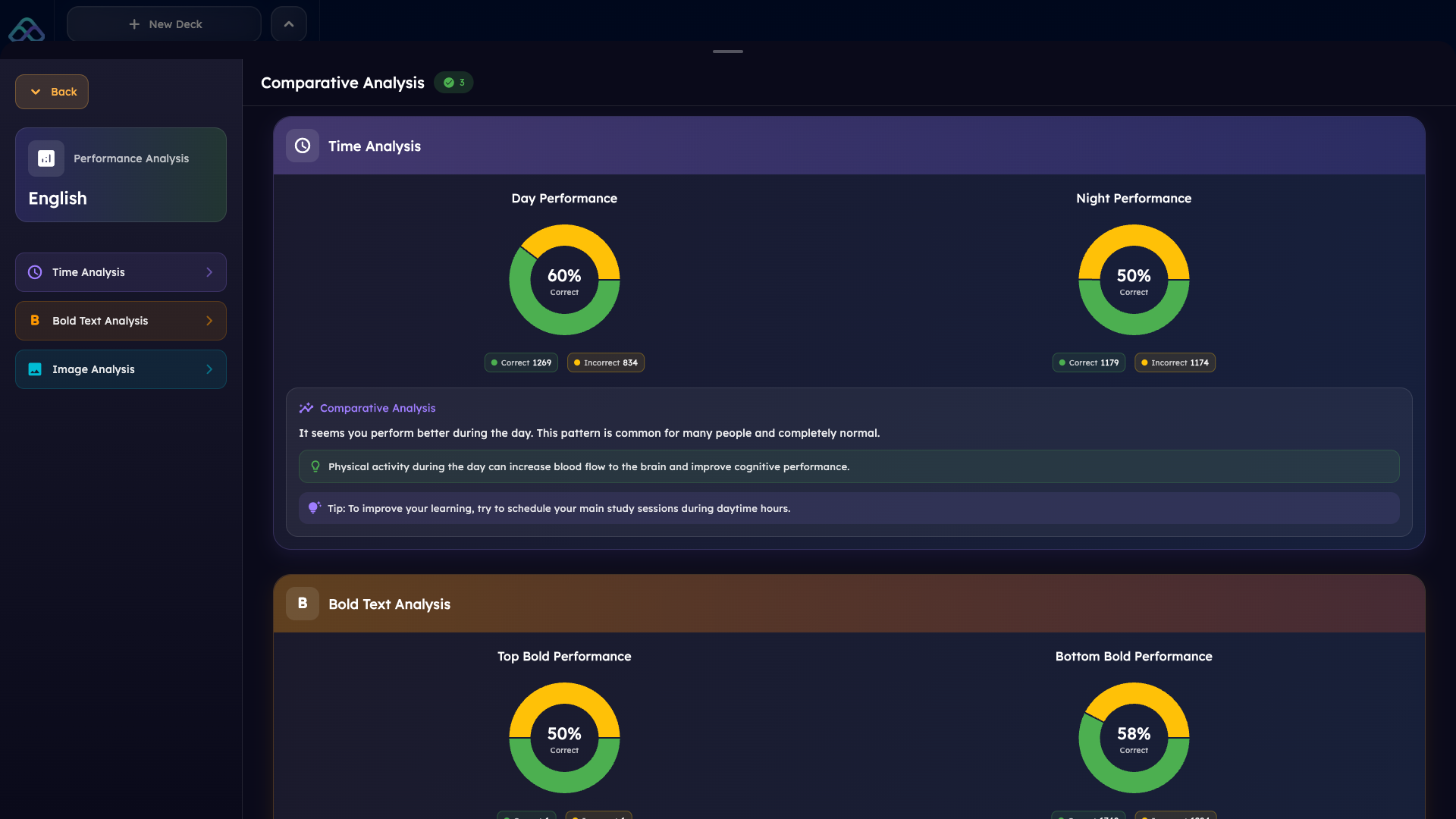
Mindomax is a newer flashcard platform that uses a proprietary AI-driven scheduling algorithm rather than the classic Leitner box method. Its system personalizes review intervals based on individual performance patterns, study times, and subject difficulty. The app stands out for its large library of over 150,000 pre-made flashcards and its ability to generate cards from PDFs, audio files, and images. Mindomax also offers a web app alongside its mobile versions, making it accessible across devices.
Pros:
- AI-powered card creation from PDF, audio, images, and text
- 150,000+ pre-made flashcards covering medical exams, languages, and professional certifications
- LaTeX formula editor with AI assistance for STEM students
- Text-to-speech pronunciation in 14 languages
- Premium at $5/month — more affordable than most competitors
Cons:
- Smaller user community compared to established platforms like Anki or Quizlet
- AI features require Premium for full access (Free plan offers limited daily AI requests)
- Newer platform with less long-term track record
- Fewer third-party integrations and community-made add-ons
- Limited customization compared to Anki's open-source flexibility
Download: iOS (Free) · Android (Free) · Web App
Pricing: Freemium. Free plan with basic features and limited AI. Premium at $5/month unlocks full AI access and advanced features.
5. Brainscape — Confidence-Based Repetition With a Clean Interface
Brainscape takes a different approach to spaced repetition. Instead of the Leitner box system or SM-2, it uses what it calls Confidence-Based Repetition (CBR). After each card, you rate your confidence from 1 to 5. The algorithm uses that rating to determine when you'll see the card again. It's simple, intuitive, and doesn't require understanding complicated settings.
Pros:
- Clean, modern interface that feels professional and polished
- Confidence-based system is easy to understand — no technical setup needed
- Certified flashcard marketplace with content for MCAT, bar exam, NCLEX, and languages
- AI flashcard generation and AI Copilot for improving existing cards
- Available on iOS, Android, and web with cross-platform sync
Cons:
- Pro pricing is significant — $9.99/month or $199.99 for lifetime access
- Free tier doesn't allow access to most marketplace content
- Limited to flashcard-style studying — no quiz modes, matching games, or collaboration tools
- Some users report difficulty exporting data without a paid membership
- Cannot reset deck mastery progress on the free plan
Download: iOS (Free) · Android (Free) · Web App
Pricing: Free basic plan. Pro at approximately $9.99/month or $199.99 lifetime.
6. RemNote — Best for Students Who Want Notes and Flashcards in One Place
RemNote combines note-taking with flashcard creation in a way no other app does. You write your notes normally, and RemNote turns them into flashcards automatically using special markup. The spaced repetition engine is SM-2-based — not Leitner — but the real value is the seamless connection between your study notes and your review cards. It's available on every major platform including Windows, Mac, Linux, iOS, Android, and web. This makes it the most cross-platform option on this list. For students who take extensive lecture notes and want to avoid the tedious process of separately creating flashcards from those notes, RemNote solves a genuine workflow problem. The recent addition of a lecture recorder with AI transcription makes this even more powerful.
Pros:
- Integrated note-taking and flashcard system — create cards directly from your notes
- Available on six platforms with desktop apps for Windows, Mac, and Linux
- AI features including auto-generated flashcards, AI tutoring, and lecture recording
- PDF annotation that converts directly into flashcard content
- Free tier includes unlimited notes and flashcards
Cons:
- Steep learning curve — the note-taking system takes time to master
- Mobile app less feature-complete than desktop version
- Free tier limits AI to 100 credits per month and only 3 annotated PDFs
- Pro pricing is relatively high at $8/month or $18/month with full AI features
- iOS users report accidental indenting and outdenting when scrolling through notes
Download: iOS (Free) · Android (Free) · Web + Desktop
Pricing: Free basic plan. Pro at $8/month. Pro with AI at $18/month. Lifetime at $395.

7. Cram — A Classic Leitner Implementation Showing Its Age
Cram (formerly Cram.com) is one of the few platforms that explicitly uses a modified version of the Leitner system. Their "Cram Mode" promotes correctly answered cards to the next level and demotes incorrect cards back to level one — just like the original method. The platform has over 75 million flashcards in its database, making it one of the largest content libraries available. However, the app hasn't been actively updated in recent years, which raises questions about its long-term reliability. The iOS app was last updated in September 2019, and several users on both app stores report bugs that have gone unaddressed for months. It's worth mentioning because of its authentic Leitner implementation, but it's hard to recommend for anyone who values a polished, modern experience.
Pros:
- Explicitly uses a modified Leitner system in its Cram Mode
- Massive database of 75+ million user-created flashcards
- Available on iOS, Android, and web — full cross-platform access
- Multiple study modes including Card mode, Memorize mode, and Games mode
- Free to use with basic features
Cons:
- iOS app last updated in September 2019 — development appears stalled
- Android users report frequent crashes and text-to-speech bugs
- Cannot study portions of large flashcard sets — must go through entire decks
- Interface feels dated compared to modern competitors
- No AI features for card generation or smart scheduling
Download: iOS (Free) · Android (Free) · Web App
Pricing: Free with basic features. Subscription plans available for full access.
Who Should Use Which Leitner System App?
Choosing the right leitner system app — or the right flashcard app in general — depends a lot on your situation. Medical students studying for USMLE or MCAT exams tend to gravitate toward Anki because of the massive shared deck ecosystem. The AnKing Step Deck alone contains tens of thousands of cards maintained by a dedicated community. No other platform comes close in this specific niche.
Language learners have more flexibility. The Leitner box method works particularly well for vocabulary because the box structure maps naturally onto word familiarity levels. Leitner Box Flashcards or Cram both handle this use case well. But if you want AI to generate vocabulary cards from text or audio, Mindomax and RemNote offer faster card creation workflows.
Students who take a lot of lecture notes should seriously consider RemNote. The ability to write notes and generate flashcards from them in the same app eliminates the painful step of transferring information between tools. This matters because the effort barrier is a real problem — research consistently shows that students know evidence-based strategies work but often skip them because the process feels too time-consuming.
If budget is the main concern, Anki on desktop and Android is hard to beat. It's completely free, open-source, and more powerful than most paid alternatives. The $24.99 iOS price is a one-time purchase, which is still cheaper than a year of Quizlet Plus or Brainscape Pro.
And if you just want the simplest possible Leitner experience without any complexity? Leitner Box Flashcards delivers exactly that. No settings to configure, no algorithms to understand. Cards go up or cards go down. Sometimes the best leitner system app is the one you'll actually open every day.
For professionals studying for certifications like CFA or AWS, the choice often comes down to content availability. Anki has the largest shared deck ecosystem for professional exams. But if you need to create cards from PDFs or audio recordings of training sessions, AI-powered options like Mindomax or RemNote save hours of manual work.
Which Algorithm Actually Matters?
Here's something worth thinking about. A landmark study by Karpicke and Roediger (2008) published in Science found that repeated testing produced large positive effects on recall — but students' predictions about their own performance were uncorrelated with actual results. In other words, people are bad at judging what works for them.
Research by Kornell (2009) in Applied Cognitive Psychology found that spacing improved flashcard recall by about 31% compared to cramming. But here's the interesting part. 72% of participants believed cramming was more effective — even though it wasn't. The algorithm running behind your flashcard app matters less than whether you actually use it consistently. The Leitner system, SM-2, FSRS, and confidence-based repetition all work. The question is which one you'll stick with.
A thorough review by Carpenter et al. (2022) in Nature Reviews Psychology examined over a century of research and confirmed that both spacing and retrieval practice enhance learning across all domains and age groups. The Leitner system's genius is that it forces both — spaced intervals and active recall — without requiring any mathematical understanding from the user.
CONCLUSION
Finding the right leitner system app depends on what you actually need. If you want a true Leitner box experience, Leitner Box Flashcards and Cram are the only mainstream options that faithfully implement the method — though Cram's lack of updates is a concern. If you care more about effective spaced repetition regardless of the specific algorithm, Anki gives you the most power and flexibility for free. Quizlet has the largest content library but isn't built for long-term retention. Brainscape and RemNote offer polished modern experiences with different strengths — confidence-based simplicity versus integrated note-taking. And platforms like Mindomax bring AI-driven card creation and adaptive scheduling at an accessible price point. No single leitner system app is perfect for everyone. The science of spaced repetition is clear — both Cepeda et al. (2006) and recent meta-analyses confirm that distributing practice over time produces substantially better learning than cramming. Pick the tool that fits your workflow, and actually use it. That matters more than any algorithm.
Frequently Asked Questions
Does Anki use the Leitner system?
No. Anki uses the SM-2 algorithm by default and now also supports FSRS. Both calculate individual review intervals mathematically rather than using the fixed box structure of the Leitner method. The underlying principle of spaced repetition is the same, but the implementation is different.
Is the Leitner system better than modern spaced repetition algorithms?
Not necessarily. Research shows both approaches improve long-term retention significantly. Modern algorithms like SM-2 and FSRS can optimize intervals more precisely, but the Leitner system is simpler to understand and easier to use without technical knowledge. Consistency matters more than algorithm choice.
What is the best free Leitner box app?
Leitner Box Flashcards offers a solid free tier with unlimited cards and no ads. Cram also provides free access to its Leitner-based Cram Mode. For non-Leitner options, Anki is completely free on desktop and Android with powerful spaced repetition features.
Can I use the Leitner system for medical school?
Yes. The Leitner method works well for memorizing medical terminology, anatomy, and pharmacology. However, most medical students prefer Anki because of its larger shared deck library — including popular resources like the AnKing Step Deck — and more precise scheduling algorithms.
What is the difference between the Leitner system and spaced repetition?
The Leitner system is one specific implementation of spaced repetition using physical or digital boxes. Spaced repetition is the broader concept of reviewing information at increasing intervals. Apps like Anki and RemNote use spaced repetition with mathematical algorithms instead of the box-based Leitner approach.


